Download Shaders for Minecraft Latest Version and transform the visual experience of Minecraft Bedrock Edition on Android with advanced lighting, realistic water, dynamic shadows, and atmospheric effects. Shaders go beyond the usual Texture Packs and Resource Packs by changing how light interacts with the world, making environments feel deeper, more immersive, and closer to real life.
Download Shaders for Minecraft Bedrock
| Vibrant Visuals | |
| Lunac Shaders | |
| Ultra Shaders | |
| Golden Visuals | |
| Prizma Visuals 2.0 |
Shaders completely change how Minecraft looks and feels. Instead of flat lighting and static environments, volumetric sunlight, realistic reflections, moving shadows, and dynamic skies that react to time of day and weather become available, which pairs naturally with Textures for Minecraft Latest Version for a fully enhanced visual experience.
Players who Download Shaders for Minecraft PE can choose different visual styles depending on their device and preferences. Some shaders focus on realism and cinematic lighting, while others enhance atmosphere with warm tones, soft shadows, and balanced performance. Most packs also work well with Texture Packs and addons, allowing full customization of the game’s visual style.
These shaders are designed to run on mobile devices, offering a balance between graphical improvements and stable performance. Whether exploring, building, or playing with friends, shaders make every moment in Minecraft feel more alive and visually impressive.
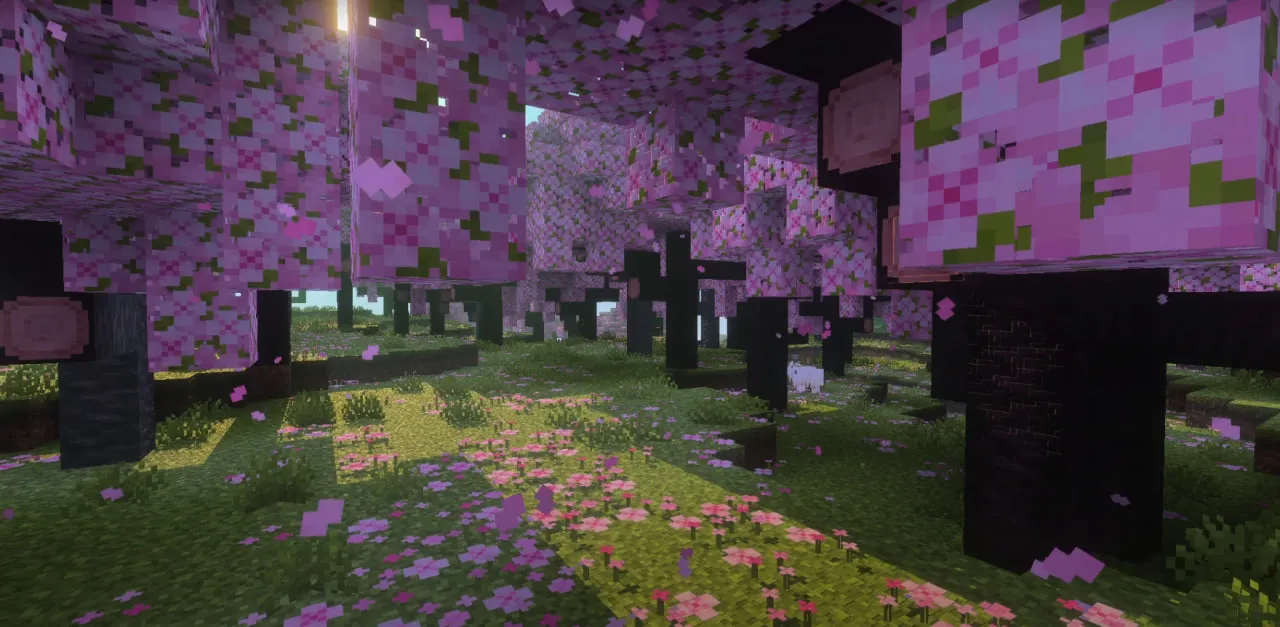
Vibrant Visuals
Vibrant Visuals is one of the most popular shaders for Minecraft Bedrock Edition, designed to bring realistic lighting, reflections, and atmospheric effects to the game. Players who Download Shaders for Minecraft PE often choose this shader as a balanced alternative to RTX, offering advanced visuals without requiring high-end hardware.
Realistic Water Rendering
One of the most noticeable improvements is the water. Instead of flat textures, water becomes dynamic and reflective, reacting to the environment around it.
- Realistic reflections of sky and surroundings
- Dynamic wave animations
- Sunlight glints on the surface
- Improved underwater visibility
Rivers, lakes, and oceans no longer look static. Players who Download Shaders for Minecraft Bedrock will see how water reflects the sky, clouds, and nearby terrain, creating a more natural and immersive environment.
Lighting and Shadows
The shader significantly improves lighting across the entire world. Sunlight becomes more dynamic, and shadows add depth to the environment.
- Sun rays passing through leaves
- Soft and dynamic shadows from objects
- Realistic light diffusion
- Improved contrast and depth perception
| Main feature | Advanced lighting system |
| Water quality | Highly realistic |
| Performance | Balanced |
These changes make forests, buildings, and landscapes feel more three-dimensional. Even simple structures look more detailed due to lighting and shadow interaction.
Day and Night Atmosphere
Vibrant Visuals completely changes how different times of day look. Each phase of the day brings a unique atmosphere.
- Warm orange sunsets with soft gradients
- Bright and clear daytime lighting
- Deep night skies with visible stars
- Moonlight casting natural illumination
Players who Download Shaders for Minecraft PE will notice that the world feels more alive. Transitions between day and night are smooth, and each moment has its own visual identity.
Enhanced Visual Effects
The shader also introduces additional effects that make gameplay more dynamic. These are not just cosmetic — they change how players perceive action and movement.
- Subtle particle effects during combat
- Improved item reflections (e.g., diamond and gold tools)
- Updated mob visuals with glowing elements
- More expressive environmental details
For example, weapons may reflect sunlight, and certain mobs appear more visually distinct. This adds depth to both exploration and combat.
Compatibility and Flexibility
Vibrant Visuals works well with other addons, Texture Packs, and multiplayer modes. Players who Download Shaders for Minecraft Bedrock can integrate it into existing worlds without major issues.
- Supports multiplayer gameplay
- Compatible with most addons and mods
- Works alongside Texture Packs
- Easy activation through settings
This flexibility makes it a strong base shader that can be combined with other visual enhancements.
Performance and Optimization
Despite its visual improvements, Vibrant Visuals is optimized for mobile devices. It provides a noticeable upgrade without heavily impacting performance.
- Stable FPS on mid-range devices
- No need for RTX hardware
- Balanced graphical load
- Suitable for long gameplay sessions
Players who Download Shaders for Minecraft PE looking for a balance between realism and performance will find this shader ideal.
Gameplay Tips
To get the best experience, players should adjust their settings and environment.
- Enable Vibrant Visuals mode in video settings
- Use moderate render distance for stable performance
- Combine with compatible Texture Packs
- Explore different biomes to see lighting effects
Overall Experience
Vibrant Visuals is one of the best entry points into shaders for Minecraft Bedrock Edition. It enhances lighting, water, and atmosphere while maintaining stable performance.
The shader makes the world feel richer and more immersive, offering a near-RTX experience on mobile devices without requiring powerful hardware.
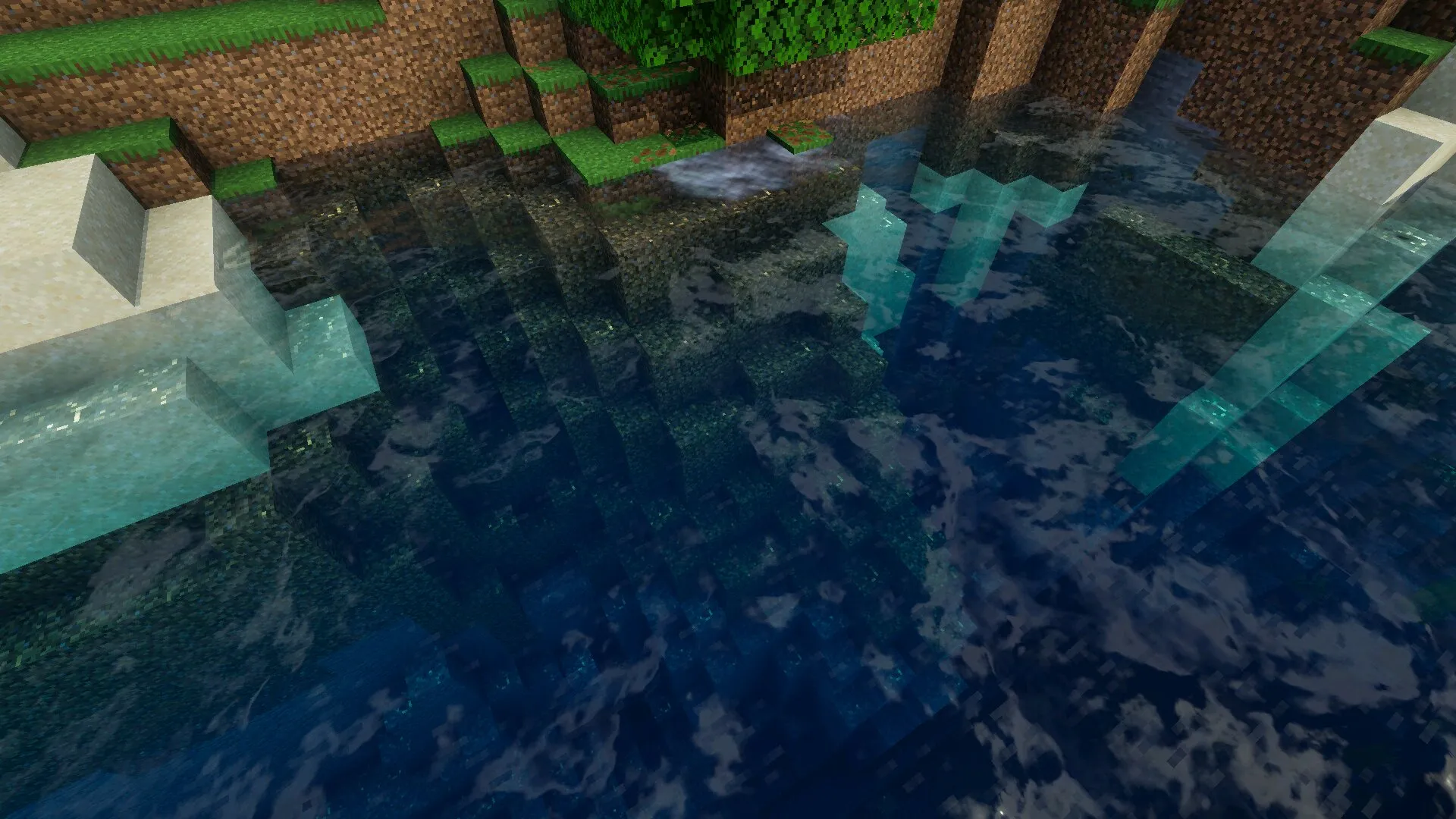
Lunac Shaders
Lunac Shaders is a visually advanced shader pack that focuses on volumetric lighting, dynamic skies, and realistic water rendering. Players who Download Shaders for Minecraft PE often choose this option to achieve a cinematic look while still keeping the familiar Minecraft atmosphere intact.
Volumetric Lighting System
One of the most noticeable features is how light behaves in the world. Sun rays become visible and feel almost tangible, creating depth and realism in every scene.
- Volumetric sunlight with visible light beams
- Soft light scattering across surfaces
- Improved reflections and brightness balance
- Enhanced depth perception in environments
Players who Download Shaders for Minecraft Bedrock will immediately notice that lighting no longer feels flat. Instead, it interacts with objects in a natural way, making landscapes more immersive.
Dynamic Sky and Atmosphere
Lunac Shaders uses advanced rendering techniques to create a constantly changing sky. Each time of day brings a unique visual style.
- Smooth transitions between day phases
- Dynamic sky colors and cloud movement
- Unique lighting conditions for each biome
- Realistic weather transitions
| Main feature | Volumetric lighting |
| Sky system | Dynamic |
| Performance | Medium |
Players who Download Shaders for Minecraft PE will feel how different biomes gain new visual identity depending on lighting and time of day.
Realistic Water Effects
Water is one of the strongest aspects of Lunac Shaders. It features highly detailed wave animations and realistic light refraction.
- Dynamic waves with natural movement
- Accurate light refraction underwater
- Improved reflections on water surfaces
- Enhanced underwater visibility and depth
Standing near water becomes a visual experience on its own. Many players who Download Shaders for Minecraft Bedrock spend time simply observing oceans and rivers due to the level of detail.
Balanced Realism
Despite its realistic elements, Lunac Shaders maintains the original Minecraft feel. It does not completely replace the game’s style but enhances it.
- Preserves block-based identity
- Enhances colors without oversaturation
- Maintains comfortable gameplay visuals
- Improves immersion without breaking style
This balance makes the shader appealing to both casual players and those looking for improved visuals.
Exploration Experience
Players who Download Shaders for Minecraft PE will notice that exploration becomes more engaging. Light and shadow guide movement, and environments feel more alive.
- More immersive cave exploration
- Enhanced visibility during sunrise and sunset
- Better orientation in large landscapes
- Increased sense of scale
Every location feels slightly different depending on lighting conditions, which increases replay value.
Performance and Compatibility
Lunac Shaders uses advanced rendering, but it is still optimized for mobile devices with moderate hardware.
- Runs on mid-range Android devices
- Compatible with most Texture Packs
- Supports survival and creative modes
- Stable performance with proper settings
Players who Download Shaders for Minecraft Bedrock should adjust graphics settings to maintain smooth performance.
Gameplay Tips
To fully enjoy Lunac Shaders, players should optimize their setup and explore different environments.
- Use medium graphics settings for best balance
- Explore water areas to see full shader effects
- Adjust brightness for caves and night gameplay
- Combine with compatible Texture Packs
Overall Experience
Lunac Shaders delivers a cinematic and immersive experience without completely changing the core identity of Minecraft. It enhances lighting, water, and atmosphere while maintaining performance.
For players looking for a visually rich but balanced shader, this pack offers one of the best combinations of realism and playability on Android.
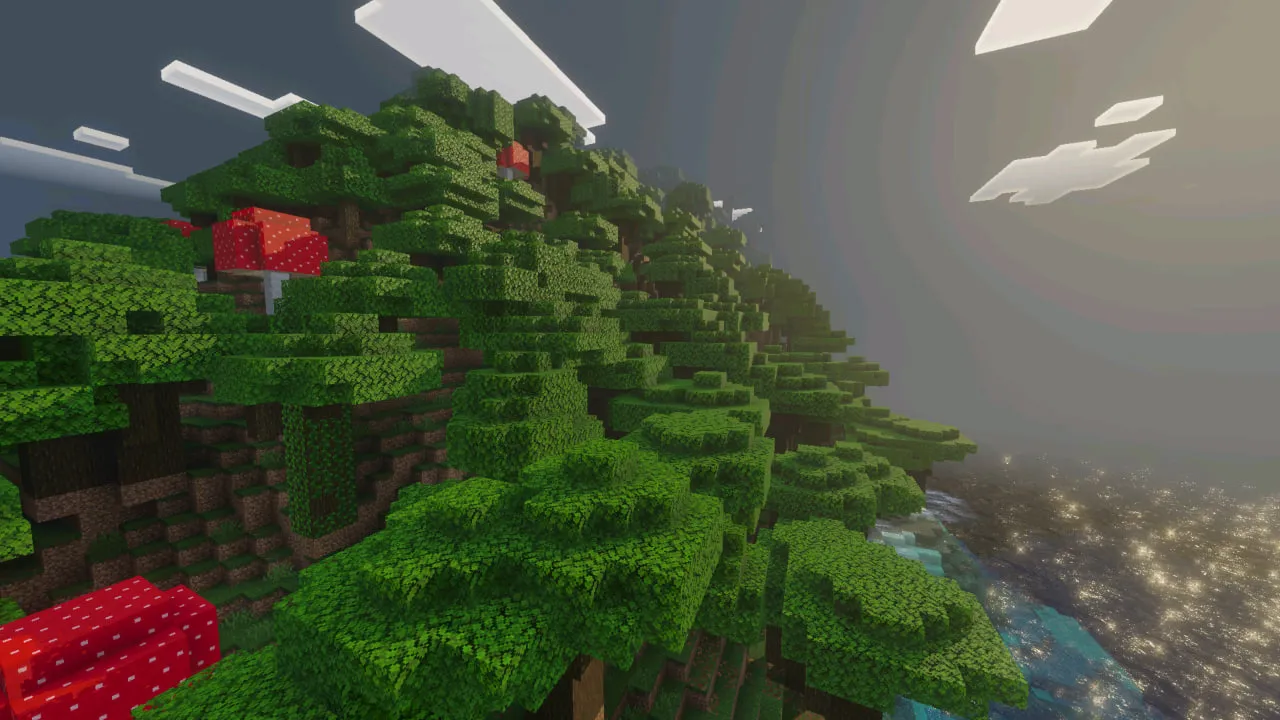
Ultra Shaders
Ultra Shaders is a balanced shader pack that focuses on improving lighting, color depth, and overall atmosphere without overloading the device. Players who Download Shaders for Minecraft PE often choose this option to get a noticeable visual upgrade while maintaining stable performance in both singleplayer and multiplayer worlds.
Lighting and Color Enhancement
The core improvement in Ultra Shaders is the lighting system. It enhances how light spreads across surfaces, making environments feel deeper and more realistic.
- Realistic lighting that changes with time of day
- Improved color balance and saturation
- Soft transitions between light and shadow
- More natural brightness levels
Players who Download Shaders for Minecraft Bedrock will notice that even simple scenes look more visually appealing. Colors feel richer, and lighting adds depth to landscapes and builds.
Shadow System
Shadows play a major role in creating immersion. Ultra Shaders introduces smooth and dynamic shadows that respond to light sources.
- Soft shadows with realistic edges
- Dynamic movement based on sun position
- Improved depth perception
- Better contrast between objects
| Main feature | Balanced lighting and shadows |
| Visual style | Realistic but lightweight |
| Performance | Moderate |
Shadows make structures and terrain look more three-dimensional, improving both aesthetics and spatial awareness.
Water and Sky Effects
Ultra Shaders also improves water rendering and sky visuals, making outdoor environments more engaging.
- Water with reflections and animated surface
- Sun and moon glow effects
- Volumetric clouds with movement
- Improved sky gradients
Players who Download Shaders for Minecraft PE will see how these elements work together to create a more immersive world. Oceans feel alive, and skies change dynamically throughout the day.
Compatibility and Use Cases
One of the strengths of Ultra Shaders is its versatility. It works well in different gameplay scenarios and with various addons.
- Suitable for survival and creative modes
- Compatible with most Texture Packs
- Works in multiplayer sessions
- Stable in large worlds and servers
Players who Download Shaders for Minecraft Bedrock for everyday gameplay will find this shader reliable and easy to use.
Performance Balance
Ultra Shaders is designed to provide good visuals without excessive load on the device. It offers a middle ground between high-end shaders and lightweight options.
- Moderate GPU usage
- Stable FPS on mid-range devices
- Minimal impact on battery life
- Optimized for mobile gameplay
This makes it a strong choice for players who want visual improvements without sacrificing smooth performance.
Gameplay Tips
To maximize the benefits of Ultra Shaders, players should adjust their settings and playstyle.
- Use medium render distance for stable FPS
- Adjust brightness to match lighting changes
- Explore different biomes to see color variations
- Combine with compatible Resource Packs
Overall Experience
Ultra Shaders is ideal for players who want a balanced upgrade to Minecraft’s visuals. It enhances lighting, shadows, and atmosphere without pushing hardware limits too far.
The shader makes the game look more modern and immersive while keeping performance stable, making it suitable for everyday use on Android devices.
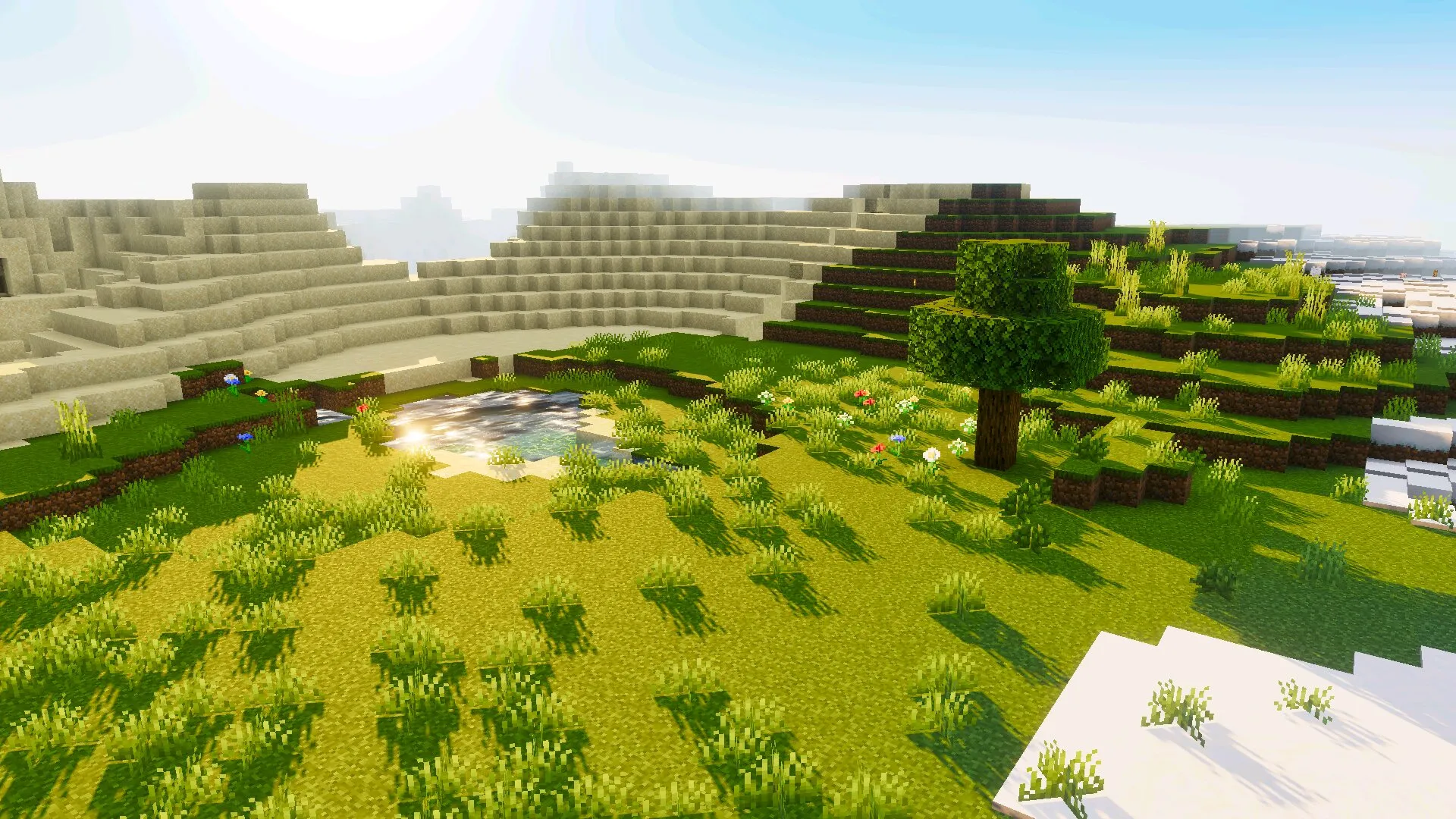
Golden Visuals
Golden Visuals is a warm-toned shader pack that transforms Minecraft into a cozy and atmospheric world filled with soft lighting and golden shades. Players who Download Shaders for Minecraft PE often choose this shader to create a more relaxing and visually pleasing environment, where even harsh biomes feel inviting and calm.
Warm Lighting Style
The main feature of Golden Visuals is its unique lighting palette. Inspired by the color of gold, the shader adds warm tones to sunlight, shadows, and reflections.
- Golden-tinted lighting across all environments
- Soft glow effect during sunrise and sunset
- Balanced brightness without harsh contrasts
- Comfortable visual tone for long sessions
Players who Download Shaders for Minecraft Bedrock will notice that even snowy or cold biomes feel warmer and more welcoming. The shader changes the emotional perception of the game, making it feel more calm and cozy.
Dependency on Vibrant Visuals Mode
Golden Visuals requires a specific setting to function correctly. Without enabling the proper graphics mode, the shader will not activate.
| Required mode | Vibrant Visuals enabled |
| Main feature | Warm lighting |
| Performance | Low to moderate |
Once Vibrant Visuals is enabled, the shader fully transforms the world. Lighting becomes softer, reflections improve, and the entire scene gains a golden atmosphere.
Water and Reflections
Water visuals are also significantly improved. Golden Visuals enhances reflections and adds realistic highlights to the surface.
- Sunlight reflections on water
- Smooth wave animations
- Improved underwater visibility
- More natural color blending
Players who Download Shaders for Minecraft PE will find water exploration more enjoyable, as lakes and oceans look brighter and more detailed.
Atmospheric Impact
The shader changes how players perceive the world. Instead of a neutral or realistic tone, the environment feels warm and inviting.
- More relaxing gameplay experience
- Improved immersion through color tone
- Better visual harmony across biomes
- Enhanced mood during exploration
This makes Golden Visuals ideal for players who prefer a calm and visually pleasing environment rather than intense realism.
Compatibility and Use Cases
Golden Visuals works well with other addons and Texture Packs, allowing players to customize their visual setup.
- Compatible with most Resource Packs
- Works in survival and creative modes
- Suitable for multiplayer gameplay
- Easy integration into existing worlds
Players who Download Shaders for Minecraft Bedrock for aesthetic improvements will find this shader especially appealing.
Performance and Optimization
The shader is optimized for mobile devices and does not require high-end hardware.
- Stable FPS on most devices
- Low to moderate resource usage
- No heavy graphical overload
- Suitable for long gameplay sessions
Gameplay Tips
To get the best experience from Golden Visuals, players should configure their settings properly.
- Enable Vibrant Visuals mode in video settings
- Adjust brightness to enhance warm tones
- Explore different biomes to see color changes
- Combine with compatible Texture Packs
Overall Experience
Golden Visuals is perfect for players who want a softer and more atmospheric version of Minecraft. It transforms the game into a warm, visually pleasing world without sacrificing performance.
This shader focuses on comfort and mood rather than realism, making it ideal for relaxed gameplay, exploration, and creative building sessions.
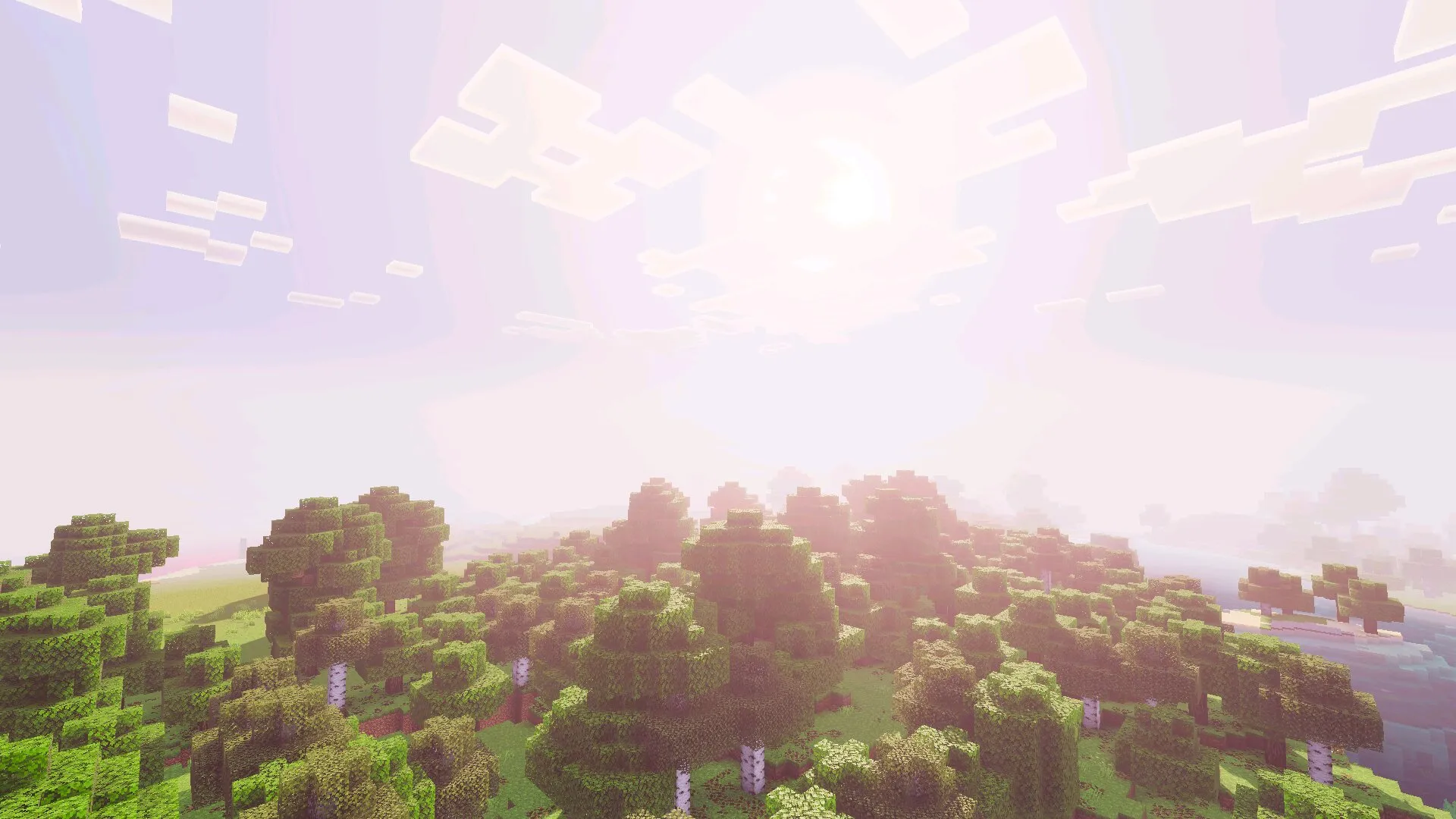
Prizma Visuals 2.0
Prizma Visuals 2.0 is a visually rich shader pack that enhances lighting, sky, and water to create a highly atmospheric and immersive experience. Players who Download Shaders for Minecraft PE often choose this shader for its balanced mix of realism, dramatic weather effects, and smooth performance on mobile devices.
Activation and Setup
To use Prizma Visuals 2.0 correctly, players need to enable a specific graphics mode in the settings. Without it, the shader will not apply any changes.
- Requires Vibrant Visuals mode enabled
- Easy setup through video settings
- Instant visual changes after activation
- No additional configuration needed
Players who Download Shaders for Minecraft Bedrock will immediately see the difference once the shader is activated. Lighting becomes more expressive, and environments gain depth.
Lighting and Sun Effects
The shader significantly improves how sunlight interacts with the world. Light becomes more dynamic and realistic, especially in open areas.
- Sunlight penetrating through tree leaves
- Bright and noticeable sun glow
- Reflections on smooth surfaces
- Improved contrast and brightness balance
| Main feature | Dynamic lighting and sky |
| Visual style | Realistic and atmospheric |
| Performance | Optimized |
These lighting improvements make forests, plains, and cities feel more alive and visually engaging.
Sky and Weather System
Prizma Visuals 2.0 enhances the sky and weather effects, creating a strong atmospheric impact during gameplay.
- Detailed clouds with movement
- Dynamic weather transitions
- Dark storm clouds during rain
- Enhanced visual intensity during storms
Players who Download Shaders for Minecraft PE will notice how weather events feel more dramatic. Rain, snow, and storms become key visual elements that affect the mood of the world.
Water Rendering
Water is another major highlight of this shader. It features both surface and underwater improvements.
- Visible underwater terrain from above
- Detailed reflections and wave animations
- Improved light refraction underwater
- Enhanced aquatic visuals and depth
Exploring oceans becomes more engaging, as players can clearly see underwater structures and terrain.
Biome Enhancement
Each biome benefits from the shader’s improvements. Colors, lighting, and atmosphere adapt to the environment.
- Vibrant plains and forests
- Dramatic desert landscapes
- Enhanced visual depth in other dimensions
- Consistent quality across all environments
Players who Download Shaders for Minecraft Bedrock will find that every biome feels more unique and visually distinct.
Performance and Optimization
Despite its visual richness, Prizma Visuals 2.0 is optimized for mobile devices and offers stable performance.
- Runs on most smartphones and tablets
- Moderate impact on FPS
- Efficient resource usage
- Suitable for long gameplay sessions
Even if there is a slight FPS drop, the visual improvements often justify the change for many players.
Gameplay Tips
To get the best experience from this shader, players should adjust their settings and explore different environments.
- Enable Vibrant Visuals mode before launching the world
- Explore during different weather conditions
- Adjust brightness for night gameplay
- Combine with compatible Texture Packs
Overall Experience
Prizma Visuals 2.0 delivers a highly immersive and atmospheric Minecraft experience. It enhances lighting, water, and weather while maintaining performance on mobile devices.
This shader is ideal for players who want a visually rich world with dynamic environments, making every biome, weather event, and exploration moment feel more cinematic and engaging.
FAQ
How to install shaders in Minecraft Bedrock?
Download the shader pack and open it on your Android device. Minecraft will import it automatically, then activate it in the global or world resource settings.
Do shaders affect performance?
Yes, shaders use more resources than Texture Packs. Lightweight shaders run smoothly on most devices, while advanced ones may reduce FPS.
Do I need to enable special settings?
Some shaders require enabling Vibrant Visuals mode in video settings. Without it, certain visual effects may not work.
Can shaders be used with Texture Packs?
Yes, shaders are compatible with most Resource Packs and can be combined to create a customized visual experience.
Do shaders work in multiplayer?
Yes, shaders work in multiplayer worlds, but visual effects apply only on your device and do not affect other players.
Download Shaders for Minecraft Latest Version and upgrade graphics with realistic lighting, dynamic shadows, immersive water, and atmospheric effects that make every world more vivid and cinematic on Android.